
What Is an Open Graph? A Complete Guide to Social Media Previews

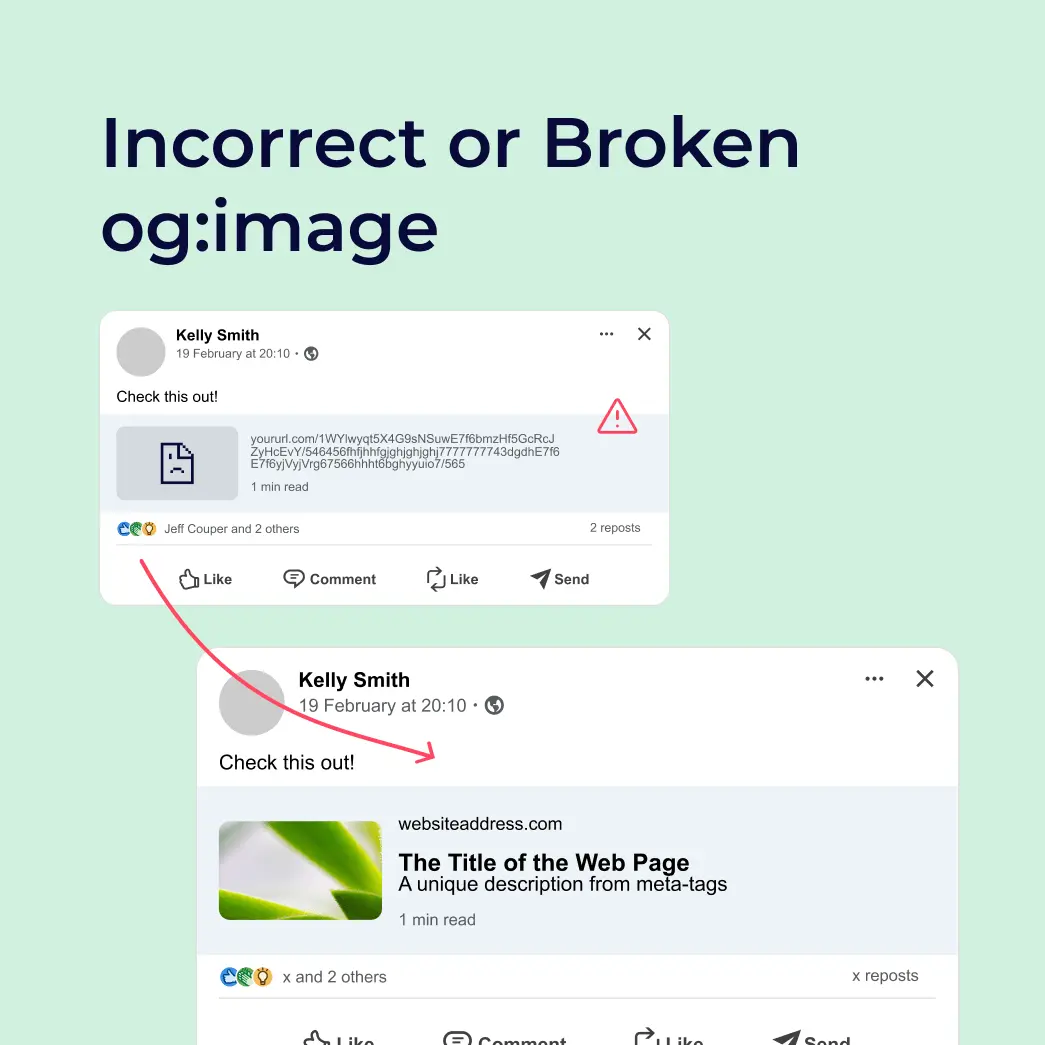
Ever shared a link on social media only to see a broken preview with the wrong image or missing text? That's what happens without Open Graph. This protocol, introduced by Facebook in 2010, gives you complete control over how your content appears when shared—ensuring your links look professional, on-brand, and clickable across every platform.
The core principle (what Open Graph is and why it exists)
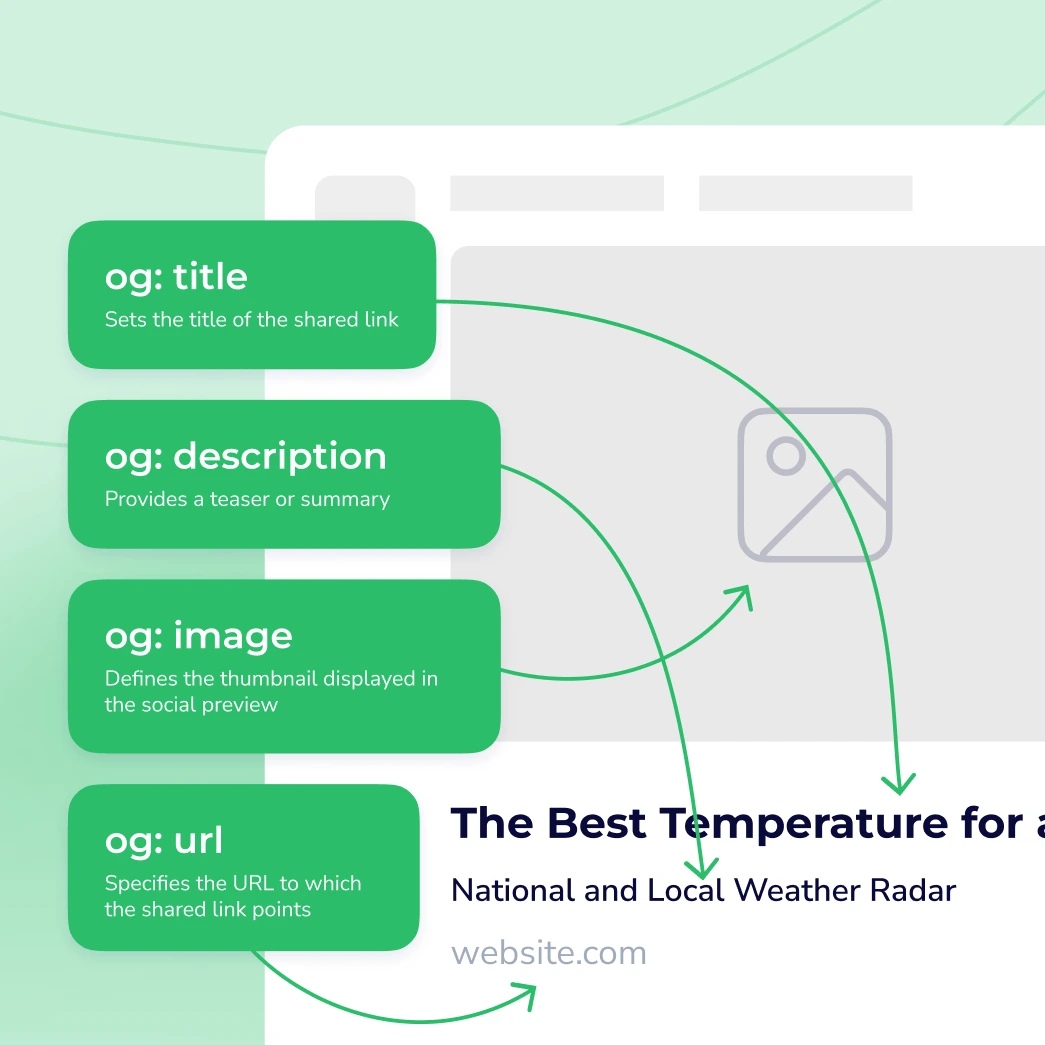
Open Graph (often shortened to "OG" or "OGP") is a simple set of HTML meta tags that tells social platforms and messaging apps exactly how to render a shared link: its title, description, image, and canonical URL. Instead of letting each platform guess, the page itself declares, "Here's the preview card you should show." It turns any webpage into a first-class "rich object" in a social graph so previews look consistent, on-brand, and informative wherever they're shared. ogp.me
Before Open Graph, link shares were fickle. Platforms scraped whatever they could find on a page: often the wrong title, a random image, or text that clipped poorly. The protocol (introduced by Facebook in 2010) standardized the vocabulary so all major platforms could read the same signals: og:title, og:description, og:image, og:url, and more. With these in place, the preview becomes predictable and controllable, which is crucial for brand trust and click-through. Facebook explicitly encourages using Open Graph to control how your content appears; LinkedIn likewise relies on OGP compliance for share previews.
Open Graph is not a ranking algorithm or an ad unit. It's a publishing protocol—a small, intentional layer of metadata that improves how content is presented when it travels outside your site. Think of it as the "packaging" of a URL in social contexts.
Why Open Graph matters for SEO and CTR
Open Graph isn't a direct SEO ranking factor, but it strongly influences how links are perceived and acted on in the wild. Three key benefits:
- Better CTR where it counts. Platforms like Facebook and LinkedIn build the preview card from your OG tags. A clear
og:title, compellingog:description, and crispog:imagedrive more clicks and shares—especially on mobile where the preview is the decision surface. Facebook's docs emphasize marking up your site with Open Graph so the crawler can extract the right preview data; LinkedIn's help center says your site should comply with OGP and meet image requirements for proper rendering. - Consistent brand presentation. A consistent image and title across platforms reduces confusion, improves recall, and makes your links feel official.
- Cleaner social analytics and debugging. Tools like Facebook's Sharing Debugger (and LinkedIn's Post Inspector) show exactly what the platform sees, making it easy to fix issues that would otherwise hurt performance.
Example: If a blog post is shared to Facebook without an og:image, the preview may show a tiny or irrelevant image—or nothing at all—which depresses engagement. Add a properly sized og:image and a tight og:title, and the share card becomes scannable and persuasive. Facebook's best-practices explicitly recommend OG tags so the crawler can grab your preferred title, description, and preview image.
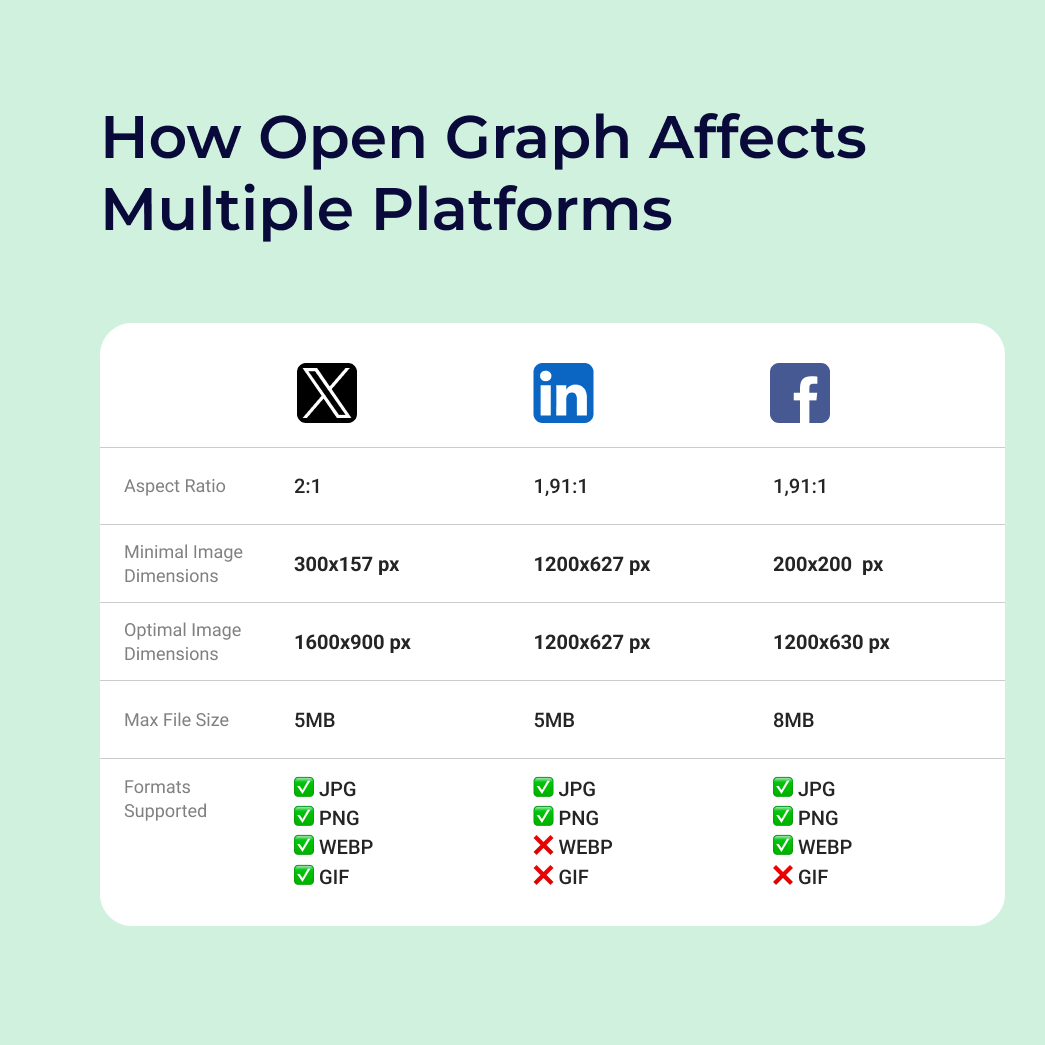
X (Twitter) supports Twitter Cards, but its documentation notes that if you already use the Open Graph protocol, generating Twitter Cards is straightforward without duplicating data. That's one reason OG continues to be the baseline many ecosystems understand.
A real-world example
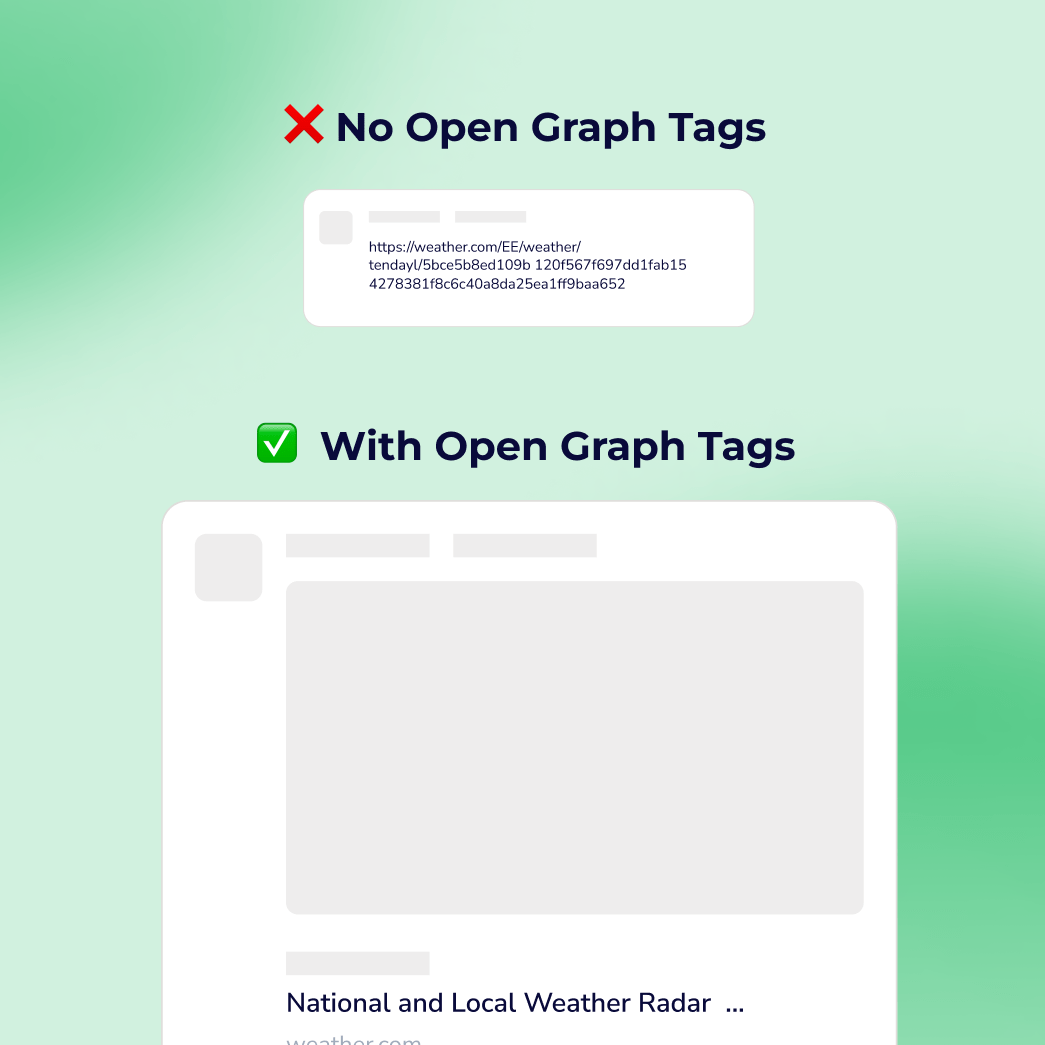
Say you publish an article titled "How to Choose a Coffee Grinder" and share it without OG tags. Facebook and LinkedIn might pick up a generic site title and grab a random image from your footer. The preview looks bland and untrustworthy—not something people want to click.
Now add proper OG tags:
og:title: Best Coffee Grinder for Your Brew Method (Budget to Pro)og:description: A straightforward buyer's guide with 5 tested picks, plus grind charts for espresso, pour-over, and cold brew.og:image: a clean, high-res photo of the grinder lineup on a neutral backgroundog:url: canonical article permalink
The result? A card that looks official, scannable, and on-brand. That's the difference proper Open Graph tags make.
The essential Open Graph tags (and what each one does)
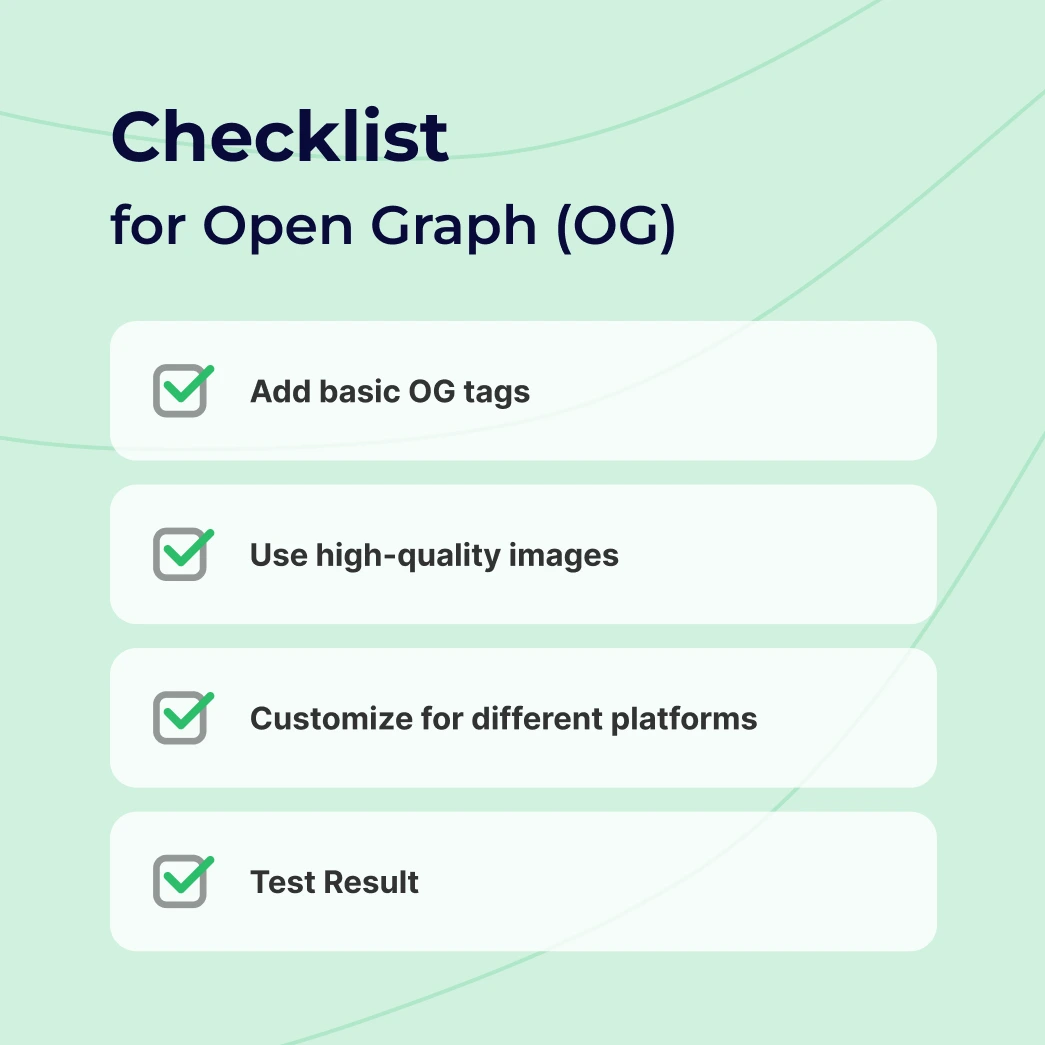
You don't need every possible tag to get a great preview. Start with the essentials; add optional ones when they add clarity or control. For detailed copy guidance and image advice, you can cross-reference our OG meta tags guide.
Core preview tags
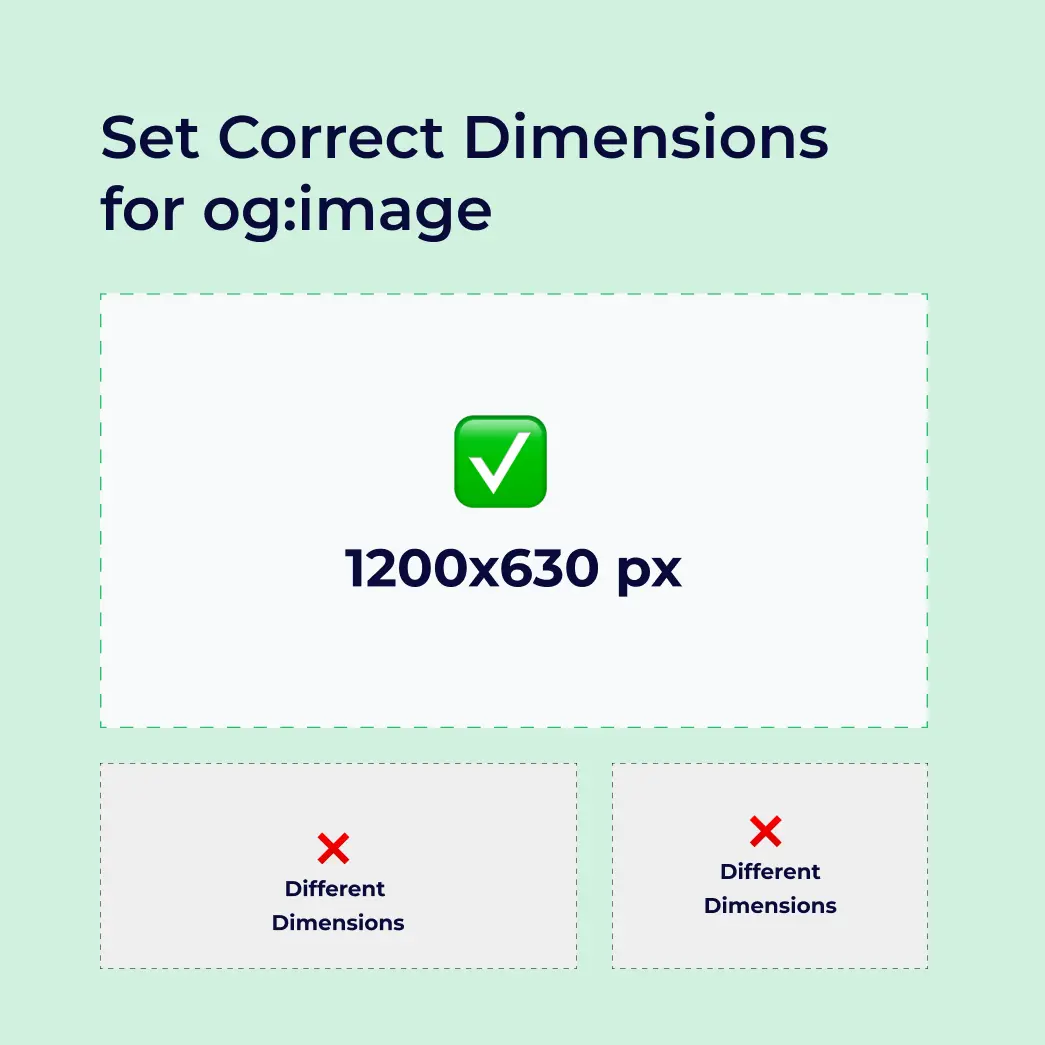
og:title— The headline of the card. Make it specific and human. Front-load key phrases so truncation still preserves meaning. Facebook's docs emphasize OG markup so the crawler can pull the correct title.og:description— A tight, benefit-oriented summary (1–3 short sentences) that complements, not duplicates, the title.og:image— The hero image. Favor high-resolution images that suit 1.91:1 (e.g., 1200×630) or large square formats—avoid text-heavy designs and leave generous margins for crops. Include the refinements below. Facebook advises including dimensions to reduce guesswork.og:url— The canonical, parameter-free URL for this piece of content. Using a clean canonical helps platforms consolidate shares. Facebook also exposes a "versioned link" concept so you can change a page without splintering engagement—og:urlanchors the object.
Page identity and type
og:type— Declares the object type (e.g.,article,website,product). Usearticlefor editorial content; some platforms unlock type-specific UI hints.og:site_name— Human-readable source (e.g., "OpenGraph.io"). Useful when a UI de-emphasizes the domain.
Image refinements
og:image:width/og:image:height— Pixel dimensions to help initial scraping and reduce awkward crops.og:image:alt— Accessible description and context when images fail to load. Not all platforms render it, but it's a good practice.
Locale and internationalization
og:locale— Language/locale identifier (e.g.,en_US).og:locale:alternate— Additional locales (e.g.,en_GB,es_ES) to support regional previews.
Article-specific tags (when og:type=article)
article:published_time/article:modified_time— Useful freshness signals in some contexts.article:author— Author name or profile.article:section/article:tag— Optional topical hints.
Want a side-by-side of OG vs. Schema and when each matters? Jump to OG Tags vs. Schema: Key Differences.
Implementation tips you'll be glad you followed
- Set one clean canonical. Use
og:urlto point at the canonical version. If you share campaign URLs with UTMs, still keepog:urlcanonical so engagement consolidates. Facebook documents canonical/"versioned link" behavior for this reason. - Ship large, crisp, simple images. Err on the side of minimal text, clear subject, and safe padding to handle crops. Facebook's image docs recommend explicit dimensions to help the crawler.
- Mind platform limits and truncation. Front-load value in
og:titleandog:description. - Automate checks. At scale, a lightweight QA (even in CI) can verify presence/format of key OG tags before deploy.
- Consider Twitter Card coverage via OG. If you maintain OG tags, X's card processor can fall back to them—reducing duplication.
If you're new to OG and want a step-by-step walk-through, see Open Graph Meta Tags: Complete Guide for examples and best-practice defaults.
Open Graph vs. Schema (how they fit together)
Open Graph and Schema serve different but complementary jobs:
- Open Graph controls how your link looks when shared to social/messaging apps.
- Schema.org structured data helps search engines understand your page for rich results (FAQ, product data, ratings, etc.).
They're not either/or. If you want elegant link previews and rich search features, implement both—and keep fields consistent to avoid mixed messages. For a deeper comparison and copyable examples, see OG Tags vs. Schema.
A minimal, production-ready OG snippet
<head>
  <meta property="og:title" content="What Is Open Graph? The Protocol Behind Clean, Click-Worthy Previews" />
  <meta property="og:description" content="Open Graph tags tell social and chat platforms exactly how to render your link—title, description, image, and canonical URL—for consistent, on-brand previews that earn clicks." />
  <meta property="og:image" content="https://example.com/images/og/what-is-open-graph-1200x630.jpg" />
  <meta property="og:image:width" content="1200" />
  <meta property="og:image:height" content="630" />
  <meta property="og:url" content="https://www.example.com/what-is-open-graph" />
  <meta property="og:type" content="article" />
  <meta property="og:site_name" content="Example Site" />
</head>
For a fuller template with article-specific properties and copy tips, reference Open Graph Meta Tags: Complete Guide
Troubleshooting (use our Link Preview tool first)
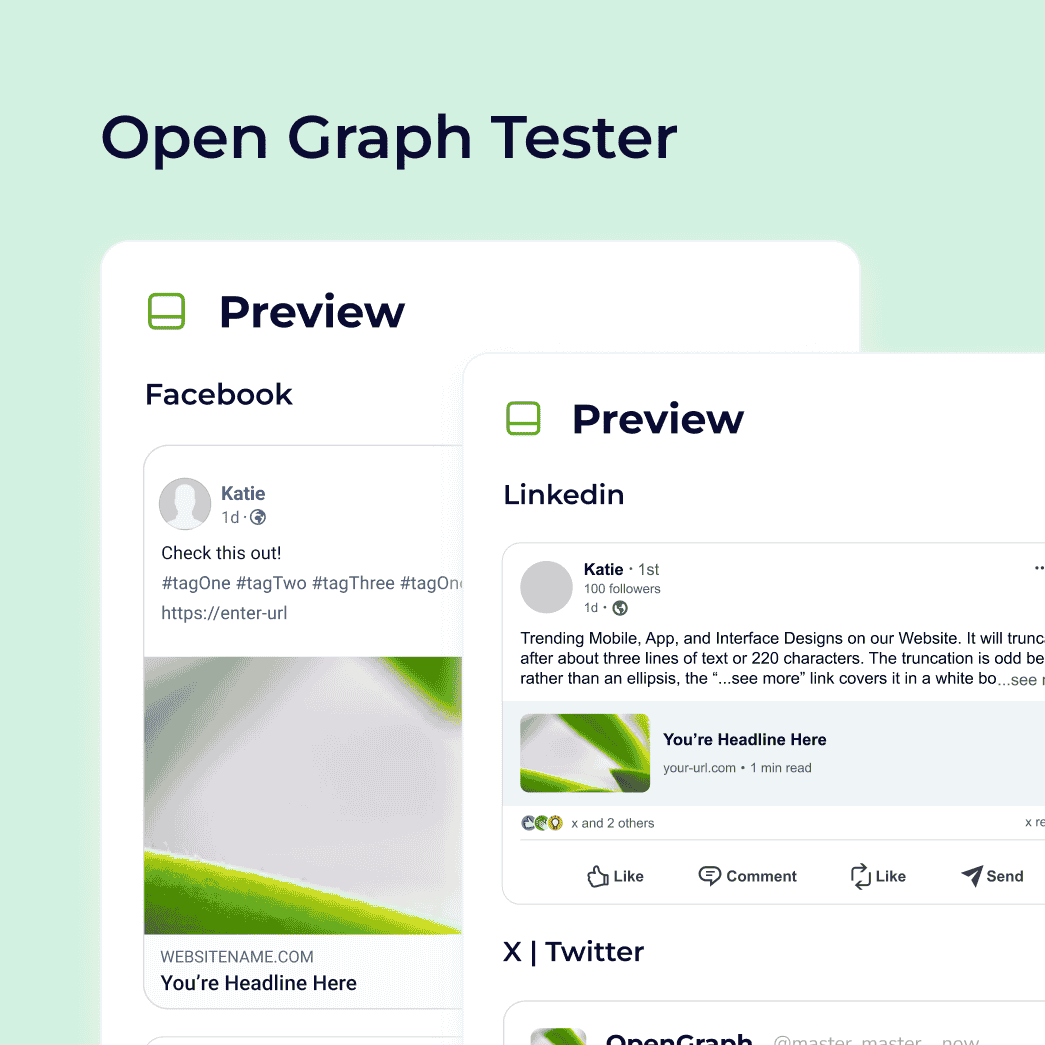
When a preview looks wrong, start by seeing exactly what a scraper sees and how the card renders. Your fastest path is the Link Preview tool (paste a URL and check the fetched OG data and visual card).
Here’s a pragmatic flow that mirrors how Facebook/LinkedIn crawlers behave, backed by their guidance:
- Paste your URL into Link Preview and confirm the fetched
og:title,og:description,og:image, andog:url. If something’s missing or stale, fix your HTML and re-run the check. (Facebook’s docs: “mark up your website with Open Graph tags to take control over how your content appears.”) - Check image suitability. Ensure the image is large, accessible at a public URL, and ideally includes explicit width/height tags (
og:image:width/:height). Facebook recommends specifying dimensions to help its crawler render the image reliably. Re-test in Link Preview to validate the change. - Confirm the canonical. If multiple URLs point to the same content, make sure
og:urlis the canonical version so platforms consolidate engagement. Facebook documents "versioned links" and canonical behavior; keepog:urlstable. - If the platform cached an old card, publish your update, then share the freshly validated URL. (LinkedIn's Post Inspector and Facebook's internal mechanisms refresh on fetch, but your Link Preview check ensures your source HTML is correct before you poke external caches.)
- Still stuck? Jump to our targeted guides:
- Debug Open Graph Tags—how to preview, interpret scraper output, and validate fields in context.
- Open Graph Error Fixes—a catalog of common pitfalls (missing images, wrong dimensions, duplicate tags, blocked resources) and how to resolve them.
Pro tip: When you update images or titles, avoid proliferating query-string variants in your HTML. Keep og:url canonical and test with Link Preview so your upstream cards remain consistent. Facebook also notes crawler constraints (e.g., OG properties should appear early in the document and within size limits).
Putting Open Graph to work (a simple rollout plan)
- Audit your top pages. Start with URLs that already get shared (blog, product, docs) and ensure they have OG basics in place.
- Define patterns. Standardize titles, descriptions, and image templates so your cards look like they belong to the same brand.
- Templatize in your layout. Provide sensible defaults with per-page overrides.
- Test with the Link Preview tool before shipping promos or announcements. It's the fastest way to see what a scraper will render and to catch broken image paths, blocked resources, or duplicate tags.
- Keep learning. If you're unsure whether an issue is content, code, or caching, our Debug Open Graph Tags and Open Graph Error Fixes pages offer step-by-step help.
Wrapping up
Open Graph isn't complicated, but it makes a real difference in how your content performs on social media. The five core tags—title, description, image, URL, and type—give you control over your link previews instead of leaving them to chance. When you implement them correctly, you get better click-through rates, more consistent branding, and easier troubleshooting when things go wrong.
Start with your most-shared pages, test the previews, and refine from there. The setup takes less than an hour, but the improved engagement lasts as long as your content does.
Related internal guides
- Open Graph Meta Tags: Complete Guide — foundations, best practices, and examples
- Debug Open Graph Tags — practical diagnostics and validation
- Open Graph Error Fixes — fast resolutions to common problems
- OG Tags vs. Schema — how Open Graph and Schema complement each other
External references cited
- The Open Graph Protocol (canonical spec/intro)
- Facebook for Developers: Sharing for Webmasters & Best Practices
- Facebook Images Guidance (dimensions help the crawler)
- Facebook: Canonical / Versioned Link Guidance
- X (Twitter) Developers: Cards Getting Started + Fallback Behavior
- Facebook Web Crawlers: Implementation constraints