
Why Your Links Look Broken on Social Media (And How to Fix Them)

You paste a link into LinkedIn, Facebook, X, or Slack and wait for the preview to load.
Instead of a strong image and clean description, you get a tiny logo, a clipped title, no image at all, or a completely random photo pulled from somewhere on the page.
It looks sloppy. And if someone is deciding whether to click, that preview is not helping.
The good news is this is common, and usually easy to fix.
Why this happens
When someone shares a link, social platforms do not visit your page the way a person does. They send an automated request and look for specific metadata in your page's code that tells them what to show.
Those instructions are called Open Graph tags.
They tell platforms things like:
- which image to use
- what title to show
- what description to display
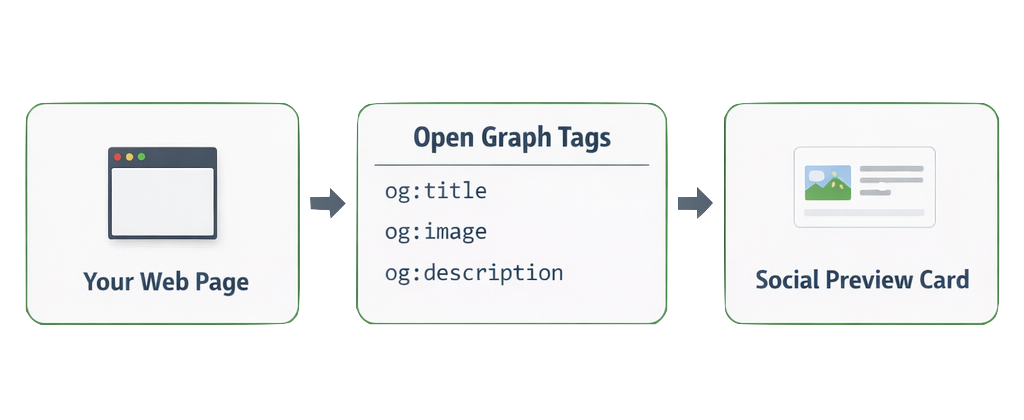
If those tags are missing, broken, or weak, the platform fills in the gaps on its own. That is when previews start looking inconsistent, incomplete, or just plain wrong.
Different platforms handle missing metadata differently. LinkedIn might pull an image you would never choose. Facebook might show nothing useful. X might cut off the most important part of your title.
That is why a page can look fine on your site but still look bad when shared.
The most common reasons previews break
1. No Open Graph image is set
If there is no og:image tag, the platform has to guess which image to use. That often means a logo, a tiny icon, or no image at all.
What to fix: add an og:image tag in the <head> of the page that points to a specific public image URL.
<meta property="og:image" content="https://yoursite.com/images/preview.jpg" />
2. The image URL exists, but the platform cannot fetch it
This is one of the trickier problems. The tag is there, but the preview still shows no image.
Usually that means the image URL:
- returns an error
- requires authentication
- is blocked from external fetches
- or is otherwise inaccessible to the platform
What to fix: open the image URL in an incognito window. If it does not load cleanly there, it will not load cleanly in a social preview either.
3. The image dimensions are wrong
A tall image, tiny thumbnail, or unusually large file can all cause poor rendering or no rendering at all.
The safest format for most platforms is:
- 1200 × 630 pixels
- 1.91:1 aspect ratio
What to fix: resize the image to 1200 × 630 and keep the file size reasonably small.
4. No Open Graph title is set
If og:title is missing, platforms usually fall back to the page's HTML title tag. That can work, but it often produces long, repetitive, or awkward preview titles.
What to fix: add an og:title written specifically for sharing.
<meta property="og:title" content="How to Write a Better Blog Introduction" />
5. The title is too generic or too templated
Many CMS setups auto-generate titles in a format like:
Page Title | Company Name
That is not always bad, but it often creates previews that feel repetitive and get cut off in feeds.
What to fix: for important pages, use a title that makes sense on its own and earns the click.
6. The description is missing or weak
If og:description is missing, the platform may pull the first sentence it finds on the page. That can lead to previews showing navigation text, dates, or other useless copy.
What to fix: add a clear, click-worthy description and keep it under about 160 characters.
<meta property="og:description" content="Most broken link previews come down to a few missing tags. Here is how to find and fix them." />
7. The preview is cached
Sometimes the metadata is fixed, but the old preview still appears.
That usually means the platform has cached the old version and has not re-fetched the page yet.
What to fix:
- Facebook: use Facebook Sharing Debugger and click Scrape Again
- LinkedIn: use LinkedIn Post Inspector and click Inspect
- X: there is no dedicated reset tool, so changing the URL slightly, such as adding a query parameter, can force a fresh fetch
How to fix one page
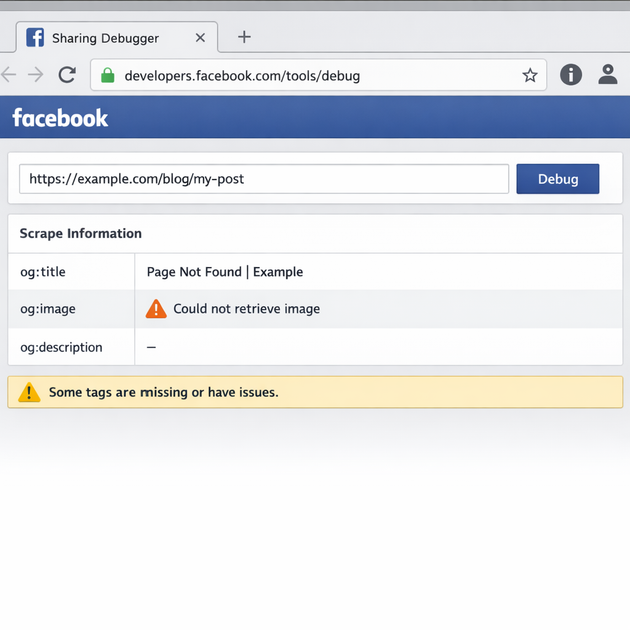
If the problem is isolated to one page, the process is simple.
First, paste the URL into Facebook Sharing Debugger and see what Facebook is reading.
Then do the same in LinkedIn Post Inspector.
After that, check the page source and confirm that:
og:imageis presentog:titleis presentog:descriptionis present- the tags appear inside the
<head>
Once you make any updates, go back to the platform tools and force a fresh fetch.
For one page, this usually takes a few minutes.
Think this might be happening across more than one page? Run a free audit and find out.
The bigger problem
Fixing one page is manageable.
But most sites do not have one page. They have product pages, blog posts, landing pages, service pages, resource pages, and archive pages. If one template is wrong, dozens or hundreds of pages can be affected at once.
Maybe your blog pages have the right image, but your product pages do not. Maybe a CMS change caused a batch of pages to lose their descriptions. Maybe a CDN update broke image fetches across half your site.
You will not catch that by checking one URL at a time.
How to audit your whole site's social previews
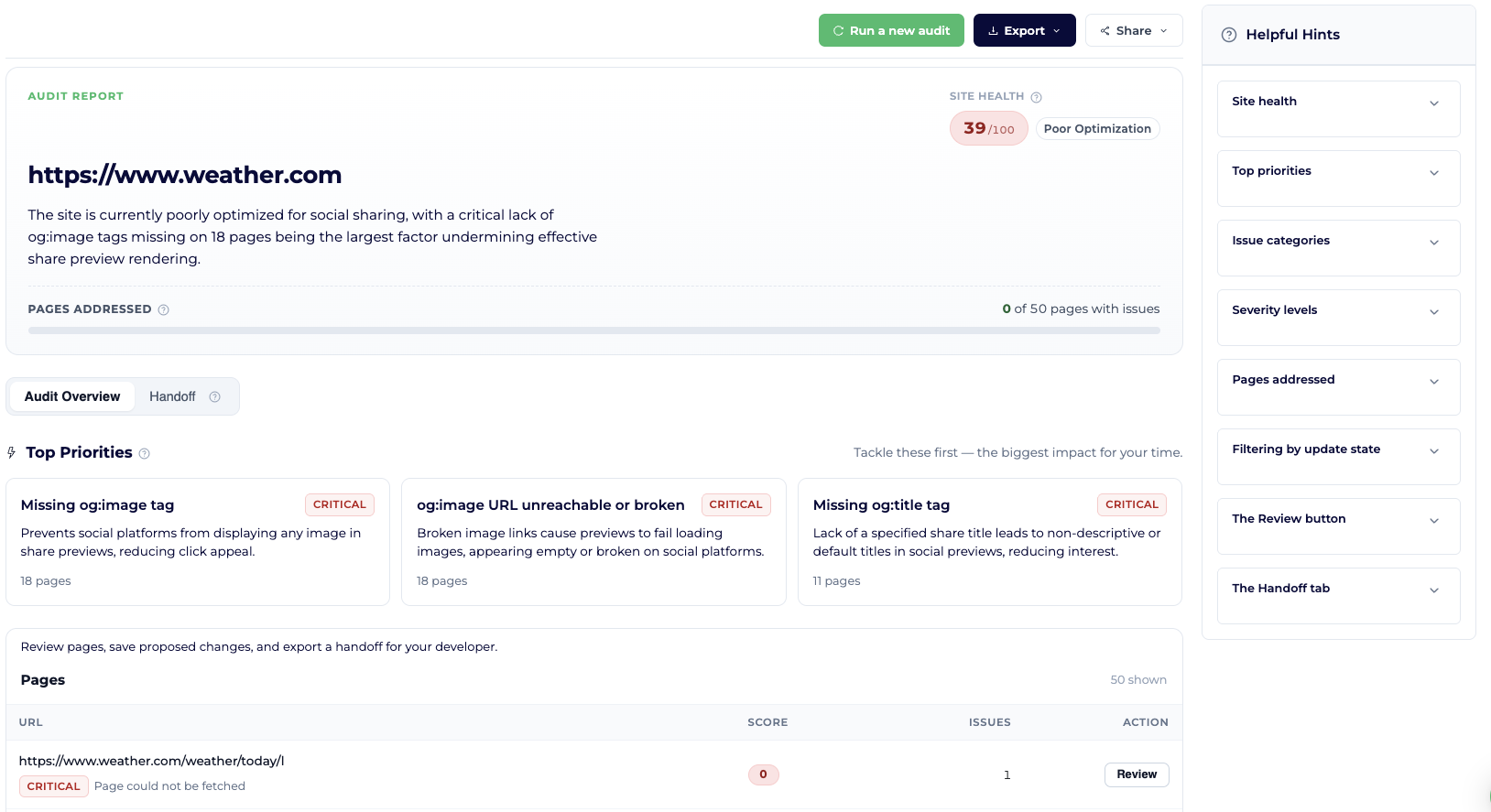
That is exactly what Open Graph Audit is built for.
Instead of checking pages one by one, you enter your domain and the audit scans your pages for social preview and metadata issues.
It checks things like:
- missing or weak titles
- missing descriptions
- broken or missing preview images
- missing Twitter Card tags
- repeated metadata problems across many pages
Each page gets a score. Critical issues are separated from lower-priority ones so it is obvious where to start.
The audit also surfaces repeated patterns, which matters more than isolated page issues. If a template is causing the same problem on 40 pages, that should not show up as 40 unrelated surprises. It should show up as one clear pattern with a clear next step.
And when it is time to fix things, you can hand the results off cleanly instead of sending a developer a messy list of guesses.
See what needs fixing across your site.
Quick checklist before sharing any page
Before publishing or sharing a page, check that:
og:imageis present- the image URL loads cleanly in an incognito window
- the image is 1200 × 630
og:titleis present and written for sharingog:descriptionis present and useful- Twitter Card tags are present if X matters for your audience
- you have refreshed the cached preview if you recently changed the metadata
One page at a time is fine when the issue is isolated.
If you want to know the state of your whole site at once, that is where a sitewide audit becomes the faster and much more practical approach.