

Preview Your Social Media Links with a Social Preview Tool
See how your URL appears on Facebook, LinkedIn, X, Slack, and more. Check your title, description, image, and Open Graph tags before you share.

No signup required · First few checks are free
From one preview check to automated preview monitoring
Link Preview Tool
Check any single URL and see exactly how it appears on Facebook, LinkedIn, X, Slack, and more — instantly, for free.
Site Audit
Scan your homepage, blog posts, and key landing pages for missing images, long titles, weak descriptions, and Open Graph issues — in one report.
Link Preview API
Generate reliable, accurate Open Graph previews at scale for your app, platform, or internal tool — 100 free monthly requests to get started.
Perfect Social & Link Previews,
Every Time
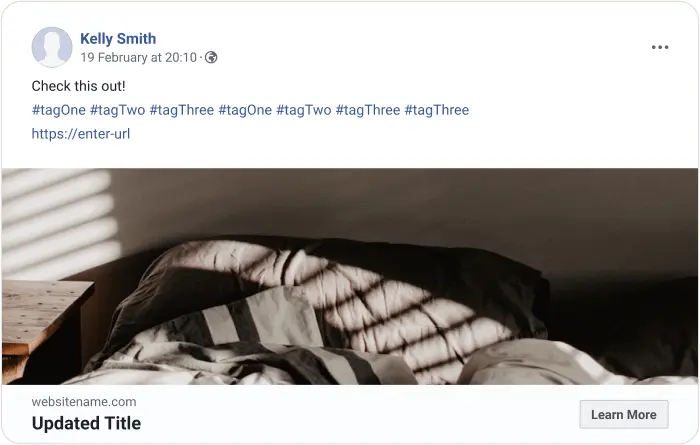
Ever shared a link only to see a broken or unoptimized preview?
Our Link Preview Tool ensures your content looks great across social media, messaging apps, and search engines.
What It Does:
- ✓ Generates a real-time preview of how your link will appear
- ✓ Helps you fix missing images, titles, and descriptions before posting
- ✓ Ensures consistent branding and engagement across platforms
Who uses the Link Preview Tool
Make every shared link count
Check your campaign landing pages, blog posts, and product pages before sharing. Know exactly how your content looks on every social channel — before your audience does.
Catch preview issues at scale
Missing og:image, truncated titles, and weak descriptions hurt click-through rates from social and search. Run a site-wide report and fix every page at once.
Debug Open Graph tags fast
Validate og:title, og:description, og:image, and twitter:card tags for any URL. Use the API to automate preview generation in your apps and internal tools.
Deliver better previews for clients
Audit your clients' sites and generate site-wide preview reports as part of SEO, social, or launch deliverables. Find broken previews before the client does.
FAQ
What is a Social preview?
What is a Social preview?
How do I check my Social Media Preview before sharing?
How do I check my Social Media Preview before sharing?
What Are Open Graph Meta Tags?
What Are Open Graph Meta Tags?
How to Add Meta Tags in HTML
How to Add Meta Tags in HTML
Adding meta tags is straightforward. Here's how you can do it:
- Use a free tool like OpenGraph.io to generate meta tags for your webpage.
- Copy the generated meta tags and paste them within the <head> section of your HTML file.
Correct meta tags ensure your social previews display properly on Facebook, LinkedIn, Twitter, and other platforms.
Can Meta Tags Be Placed in the Body Element?
Can Meta Tags Be Placed in the Body Element?
No, meta tags must be placed within the <head> section of your HTML document. Adding them in the <body> will result in invalid HTML markup and may cause unexpected behavior or prevent social media platforms from recognizing your meta tags.
How to Create and Add Dynamic Open Graph Images?
How to Create and Add Dynamic Open Graph Images?
Manually updating Open Graph (OG) images for every page or blog post can be tedious. Instead, you can automate this process:
- Use a dynamic Open Graph image generator tool (like OpenGraph.xyz) to create consistent, visually engaging OG images.
- Choose from customizable templates and link them to your webpage. This allows each page to automatically display unique OG images tailored to its content. This solution ensures your content always stands out on social media without the hassle of manually designing each image.
- Dynamic images are critical because they control how your social preview thumbnails appear when links are shared.
What are The Recommended Image Dimensions for Open Graph?
What are The Recommended Image Dimensions for Open Graph?
To ensure your content looks professional and sharp across platforms:
- Use images at least 1080 pixels wide for high-resolution displays.
- For Facebook ads and general sharing, 1:1 aspect ratio images are highly recommended for optimal performance.
- Correct sizing guarantees that your social previews aren’t cut off or distorted.
Pro Tip: Test your images to confirm they display correctly across different platforms like Facebook, Twitter, and LinkedIn.
Troubleshooting Open Graph Issues
Troubleshooting Open Graph Issues
If you encounter issues with Open Graph meta tags not displaying correctly:
- Check the meta tags in your HTML code to ensure they are correctly formatted and placed within the <head> section.
- Re-scrape Your Website: Platforms like Facebook and LinkedIn often cache previews. Use their debugger tools to clear the cache and update the preview:
- Ensure your images meet the recommended dimensions and aspect ratios for optimal display on social media platforms.
- If your social preview looks wrong on Facebook or LinkedIn, try clearing the cache and re-scraping the URL
Additional Best Practices for Open Graph Meta Tags
Additional Best Practices for Open Graph Meta Tags
To maximize the effectiveness of your Open Graph meta tags:
- Set a Default OG Image: If a page lacks a specific image, having a default OG image prevents broken previews.
- Optimize Image File Size: Large images may slow down load times. Compress OG images without compromising quality.
- Include OG Type: Use the og:type tag (e.g., website, article, video) to provide context for your content.
- Use HTTPS for Images: Always host OG images on secure (HTTPS) servers to avoid compatibility issues.
Following these best practices helps you generate consistent social and link previews across all networks.